
Free percussion practice app
Build the measure. Count it. Stick it. Rep it.
Rhythm Repper is a free browser-based rhythm builder that helps percussion students see, hear, understand, and repeat one measure at a time.
No account · No download · Works on phones, tablets, Chromebooks, and computers · Free forever
What Rhythm Repper is
One measure, turned into a complete practice loop
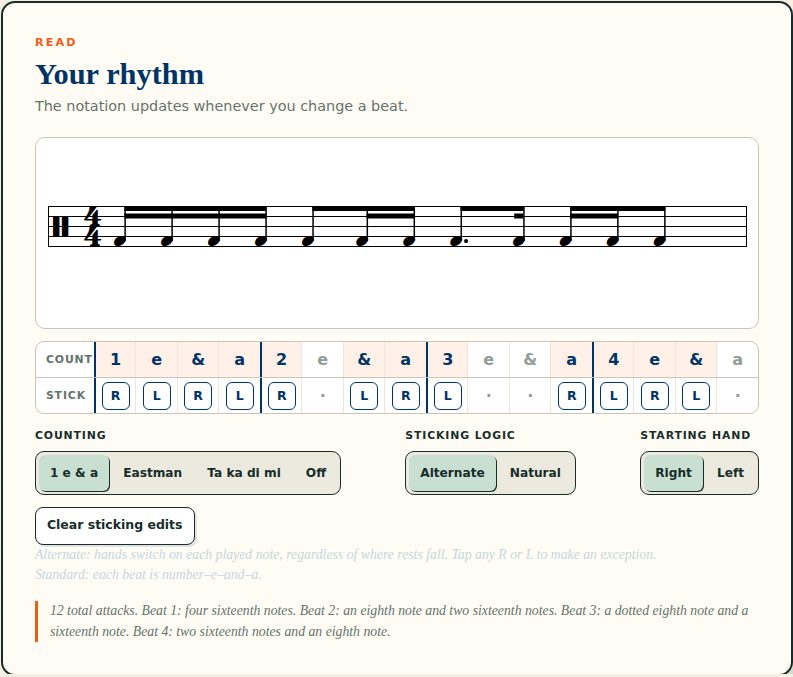
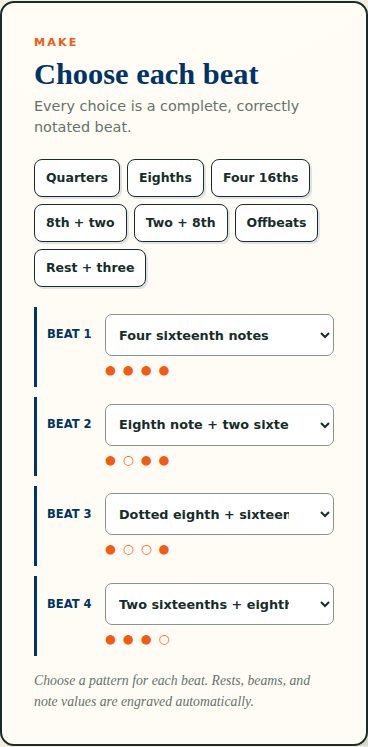
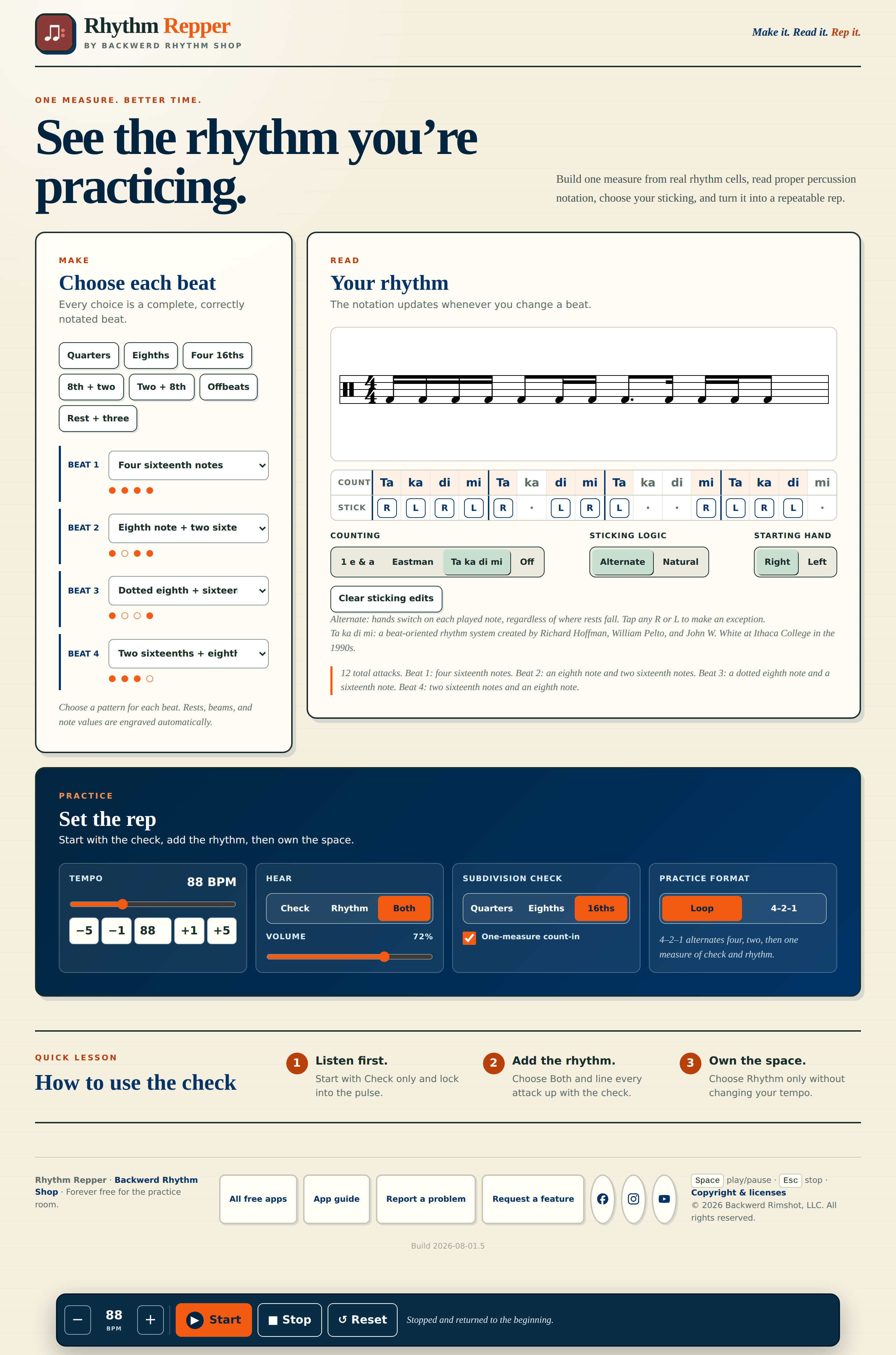
Rhythm Repper turns one measure of rhythm into a complete practice loop. Choose a correctly notated rhythm cell for each beat, see the finished measure on the staff, add counting and sticking, and practice it with a steady rhythmic check.
It is built for learning and practicing rhythm—not for writing scores. Every choice stays inside a controlled vocabulary designed for beginning and intermediate percussionists, so students can focus on reading, coordination, and timing instead of fighting notation software.
Who it's for
Students, band directors, and studio teachers
Students
Recreate a difficult measure, see how it counts, choose the sticking, hear it correctly, and repeat it until it feels secure.
Band directors
Project one measure for the class, compare counting systems, model sticking choices, and move students from supported practice toward independent time.
Percussion instructors and private teachers
Build focused exercises for lessons, isolate a student's trouble spot, and use the check-and-rhythm formats to create a clear practice sequence.
Make it. Read it. Rep it.
Three panels, one measure between them
Key features
Everything one measure needs
- Beat-by-beat rhythm-cell builder
- Correctly engraved percussion notation
- Straight-sixteenth and eighth-note-triplet vocabulary
- Beginner rhythm presets
- Standard, Eastman, and Takadimi counting
- Natural and alternating sticking
- Right- or left-hand lead
- Editable individual stickings
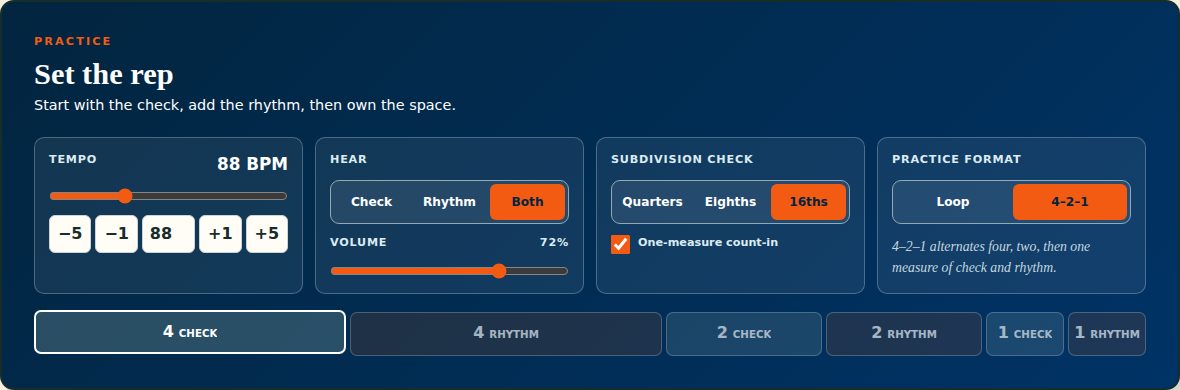
- Check-only, rhythm-only, or combined playback
- Quarter-note, eighth-note, or sixteenth-note checks
- Loop and checked 4–2–1 practice formats
- One-measure count-in
- Tempo and volume controls
- Keyboard-friendly transport controls
- Responsive layouts for phones, tablets, Chromebooks, projectors, and computers
Built for the classroom
Use Rhythm Repper to:
- Put a troublesome measure on the board without preparing a worksheet
- Help students connect notation, counting, sticking, and sound
- Compare different counting systems without changing the rhythm
- Demonstrate natural versus alternating sticking
- Begin with the check, add the rhythm, and remove the check without changing tempo
- Turn one measure from the music into a focused repetition assignment
- Give beginners a controlled rhythm-building environment with no account or installation
Why it's different
Most rhythm tools do only one part of the job.
A notation app writes the measure. A metronome supplies a click. A worksheet shows the counting.
-
Build the rhythm
Four beat cells from a controlled vocabulary — no notation software to fight.
-
Read the notation
Real engraving, with beams, flags, rests, and dots placed for you.
-
Understand the counting
Standard, Eastman, or Takadimi under every attack — or hidden entirely.
-
Choose the sticking
Natural or alternating from either hand, with any single R or L overridable.
-
Hear the relationship to the check
Check only, rhythm only, or both — at a quarter-, eighth-, or sixteenth-note check.
-
Repeat the measure with purpose
Loop it, or work the checked 4–2–1 format until the check is no longer holding it up.
Free, private, and easy to open
No account. No download. No paywall.
Rhythm Repper requires no student account and does not create student profiles or practice histories. Open it in a modern browser and start practicing.
Ready to rep?
Build one measure, understand what is happening inside it, and repeat it until it is clean.