
Free slow–fast–slow practice app
Tempo Ladder
One exercise. One controlled climb. One controlled descent.
Build speed, endurance, and control without stopping to adjust the metronome. Tempo Ladder guides you through a measurable slow–fast–slow sequence while you focus on playing.
What it does
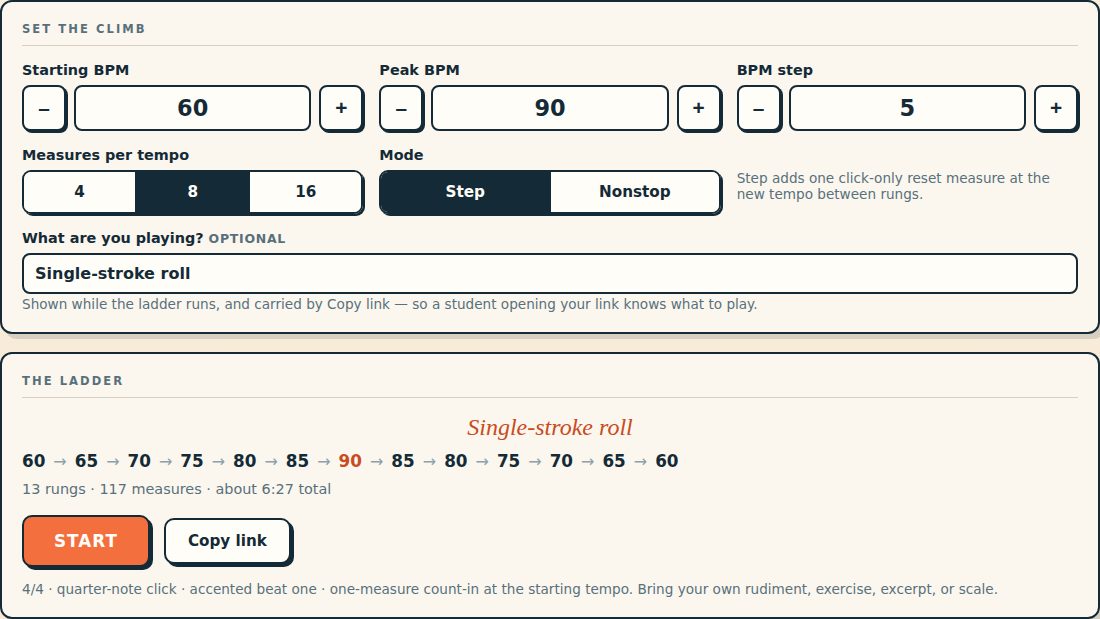
Bring the exercise. Tempo Ladder manages the climb.
Practice a rudiment, excerpt, scale, sticking pattern, or any other material you choose. Set the starting tempo, peak tempo, BPM step, and measures per tempo. Tempo Ladder builds the path, counts each stage, and returns you to the starting tempo.
The peak is played once. The descent retraces the climb. Every tempo change happens at a measure boundary.
Two modes
Choose how the tempo changes
Step Mode
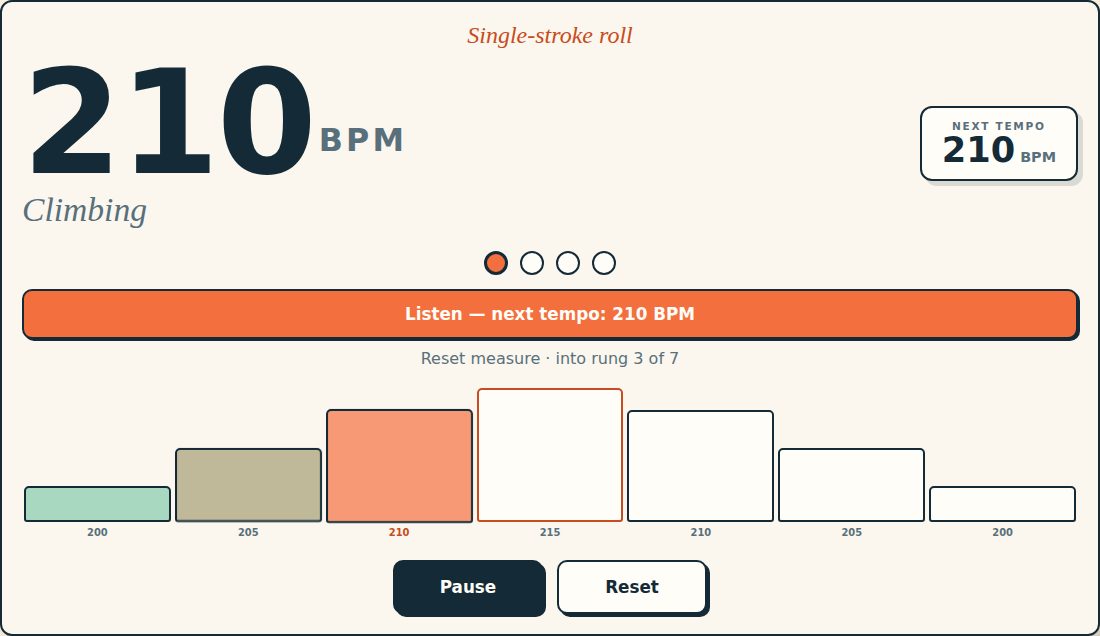
Play the selected number of measures, then take one click-only measure at the next tempo before you resume. The transition creates a short physical reset and a clear count-in for the new speed.
Nonstop Mode
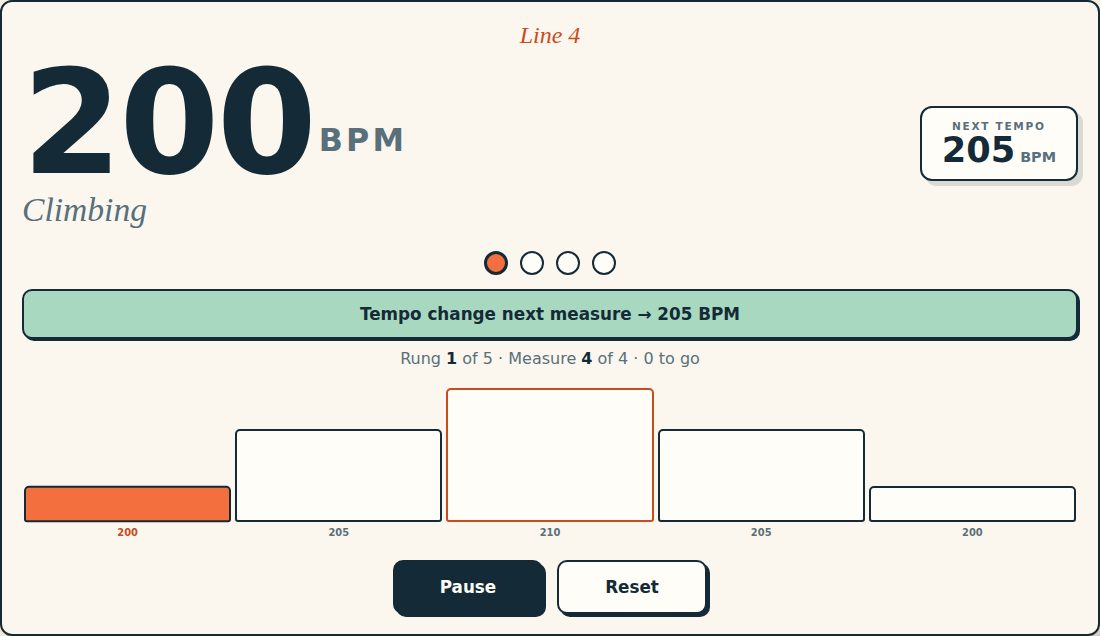
Keep playing through the full ladder. Tempo changes happen at measure boundaries without a break, and the screen shows the upcoming tempo before the change.
While you play
Keep your attention on the music
During a ladder, the large session display shows the current BPM, direction, rung, measures remaining, and next tempo. Pause and resume in place without losing your position, or reset when you need a fresh start.
Tempo Ladder is designed to stay readable on a phone, tablet, music stand, or classroom display.
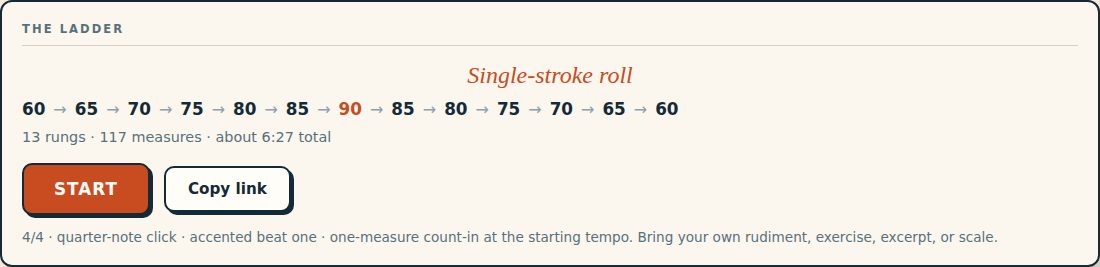
Assign it in a link
Name it, set it, share it
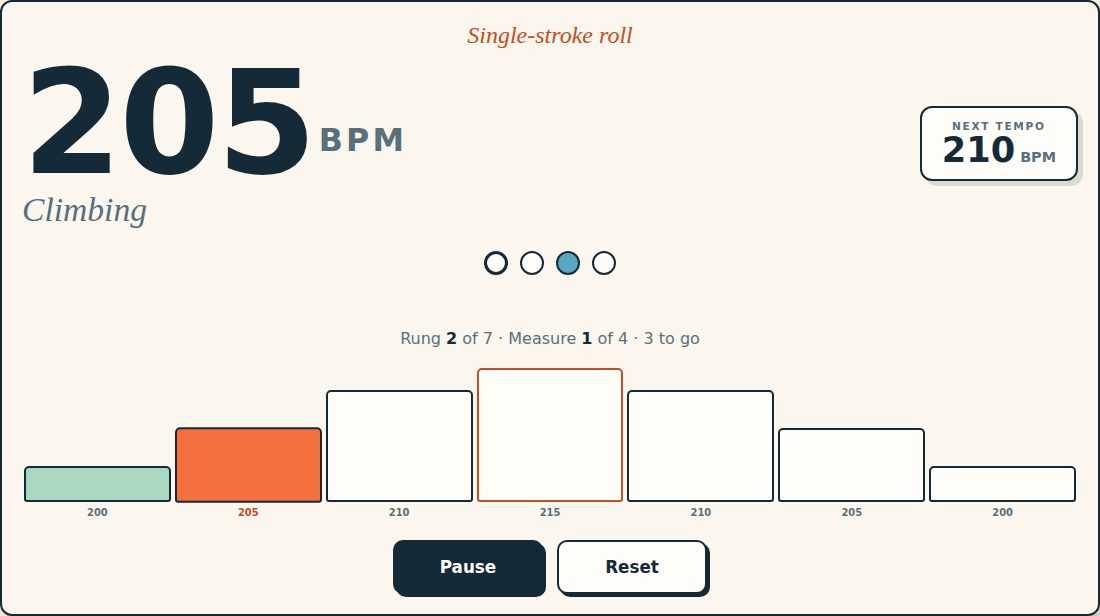
Add an optional exercise label such as “Single-stroke roll,” “Line 4,” or “Bach, m. 12.” The label stays visible during the session and travels with a copied setup link.
Teachers can send students a ladder with the exercise name and tempo settings already in place. The student opens the link and starts practicing—no account required.
Key features
Built for focused practice
Symmetrical slow–fast–slow tempo paths.
Starting BPM, peak BPM, BPM step, and measures-per-tempo controls.
Step and Nonstop modes.
One-measure opening count-in.
Clear current and upcoming tempo displays.
Pause, resume, reset, and replay.
Shareable setup links with optional exercise labels.
Keyboard support, visible focus, reduced-motion support, and responsive layouts.
Private by design
Nothing to sign up for, nothing to send
Tempo Ladder requires no account or backend. Settings stay in the browser’s local storage and do not leave the device.
Build your next clean tempo climb.
Choose an exercise, set the ladder, and let the app manage the changes while you focus on sound, motion, and control.