Free metronome & rhythm trainer
Pulse Pocket Metronome
More than a click. Learn the rhythm.
A free metronome built for percussionists. See subdivisions, build combination rhythms, and read counting in two systems — right in your browser.
What it is
A metronome that shows you the rhythm
Pulse Pocket is a web-based metronome designed by a percussion educator for percussion students and teachers. Unlike a generic metronome app, Pulse Pocket shows you the rhythm — not just clicks.
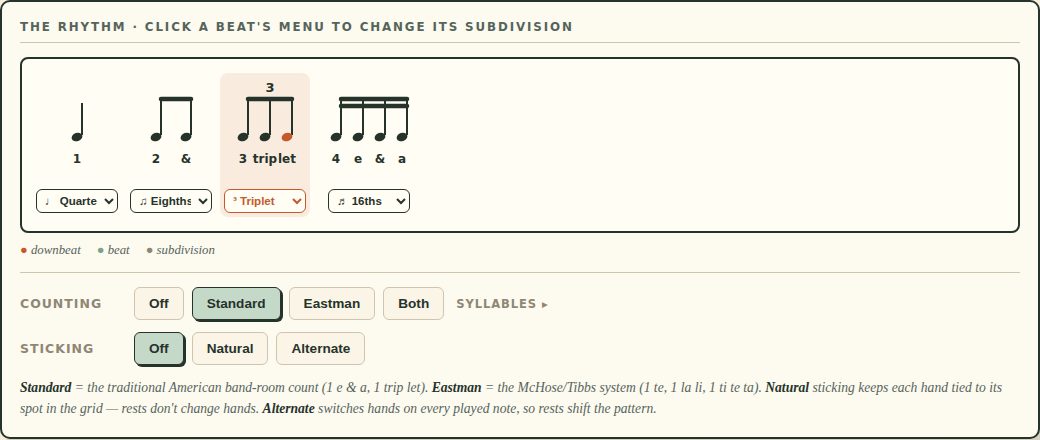
You can see every subdivision on a live staff, switch between Standard and Eastman counting systems, display sticking (Natural or Alternate), and build combination rhythms beat by beat. It works on any phone, tablet, or computer with a browser.
See it in action
Real notation, live in the browser
Key features
Built for the percussion classroom
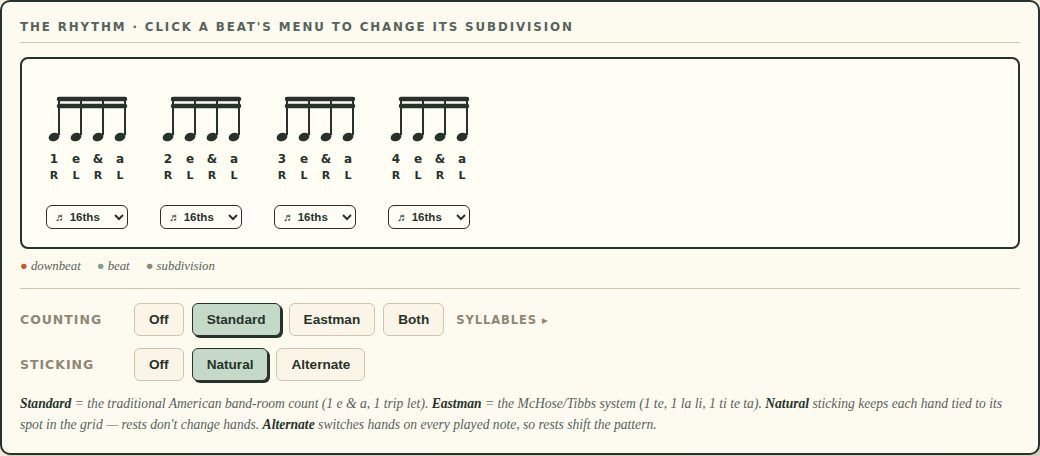
Live notation with beams, tuplet brackets, and a moving highlight on the note being played. Students see what they hear.
Quarter notes, eighths, triplets, and sixteenths — the core vocabulary for beginner and intermediate percussionists.
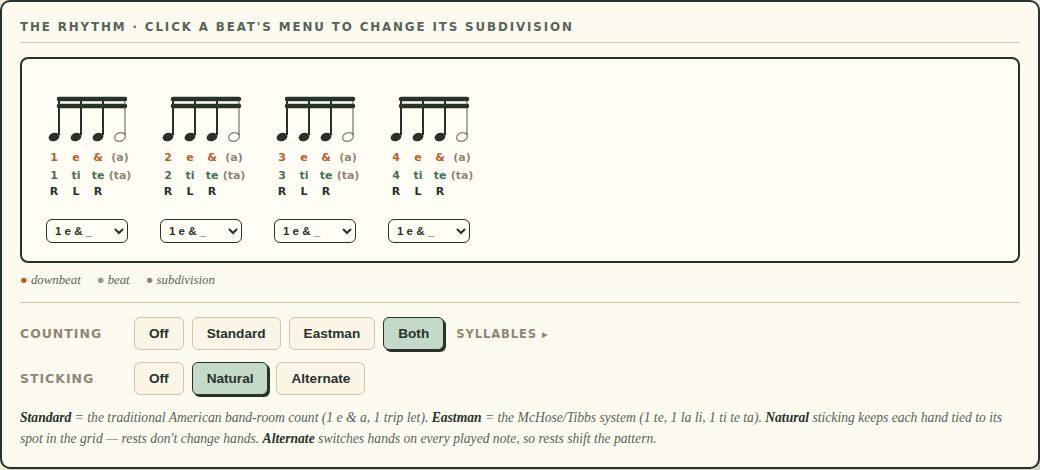
Mix notes and rests inside a single beat. Silent pulses show as hollow notes with their counts in parentheses — students count them but don’t play.
Give each beat its own rhythm. Or pick one of the three current presets: Build-Up, 16th Combinations, or Trips & 16ths.
- Standard: the traditional band-hall count, with selectable triplet wording
- Eastman: the McHose/Tibbs system, with selectable sixteenth-note wording
- Show one, the other, or both at the same time
- Preferences save on the device, and teachers can share them in a link
- Natural: each hand tied to its spot in the grid (rests don’t change hands)
- Alternate: switches hands on every played note (rests shift the pattern)
- Shown as R/L under each played note, with hand parity carrying across the measure
2/4, 3/4, 4/4 (C = common time), and 2/2 (¢ = cut time). Switch between common time and cut time while playing to hear the difference.
Subdivisions and Combination Rhythms panels each have on/off switches. Beginners start with a plain metronome. Teachers reveal tools as students are ready.
Report a problem and Request a feature open a visible, editable message. Users can open it in a configured email app or copy all details into webmail when a managed device has no email app set up.
Who it’s for
Students, classrooms, and studios
Practice with a metronome that actually shows you the rhythm. Learn to count in Standard or Eastman. See your sticking. Build up from quarter notes to complex combination patterns.
Start beginners with a plain metronome, then turn on subdivisions, patterns, and combination rhythms as students are ready. Project it on a screen for the whole class.
Assign specific rhythm combinations for weekly practice and share teacher-selected counting preferences in the URL. Students open the same browser-based tool on any device — no app to install, no account, no version issues.
Why it’s different
Most metronome apps produce clicks. Pulse Pocket teaches rhythm.
-
Percussion-specific
Counting systems, sticking, and subdivisions built for the band hall — not generic music tools.
-
Visual
Live notation on a staff. Students see what they play.
-
Progressive
Start simple, reveal features as students grow. Not a wall of buttons.
-
Free
No paywall, no account, no download. Open the URL and practice.
-
Works everywhere
Phone, tablet, Chromebook, desktop. Any browser.
Ready to practice?
Launch Pulse Pocket — free, no signup. Need a walkthrough? The operating guide covers every panel and preference.