
Free staff-literacy app
Staff Spot
Name the note. Place the note.
Two reciprocal skills in one app. See a written note and identify it, or see a pitch name and put it in the right place on the staff. Treble, bass, and both clefs together — with guided Teaching Sequences that take one skill at a time.
Both directions
Reading a note and building one are different skills
Most staff drills only ever ask one question: what is this note called? Staff Spot asks the other one too. Naming a written pitch and constructing one from its name draw on the same knowledge from opposite ends, and a student can be fluent at one while guessing at the other.
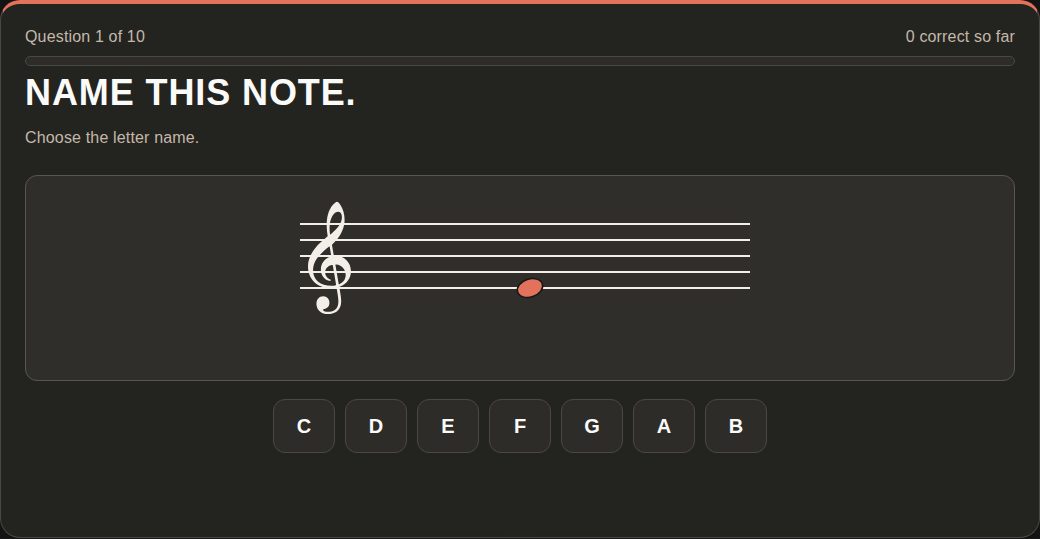
Staff → Note
A notehead appears on the staff. Choose its letter name, its written spelling with the accidental, or the complete pitch including the octave number — whichever the round asks for.
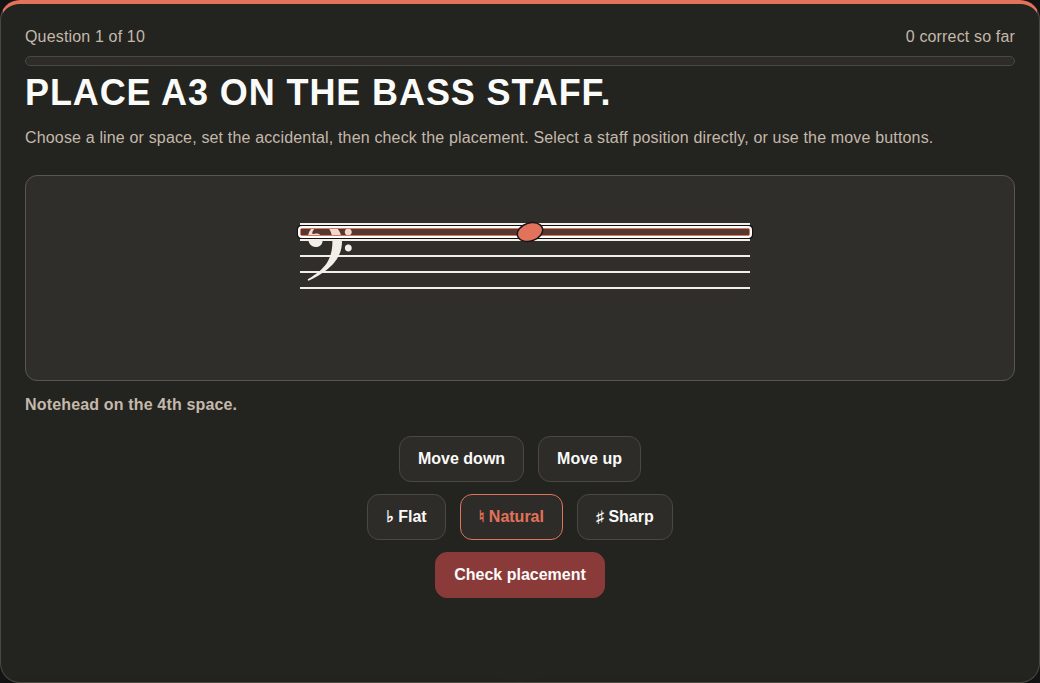
Note → Staff
A pitch is named in full. Put the notehead on the right line or space and set its accidental. Every staff position stays selectable, so a spaces-only round still means ruling out the lines.
The guided route
Nine Teaching Sequences, four levels each
A sequence is an ordered set of short, locked rounds that build one skill in the order that works: spaces before lines, the staff before ledger lines, letters before octaves. Each level ends with a local exit ticket and points at the next one, so a student always knows where they are and what comes after.
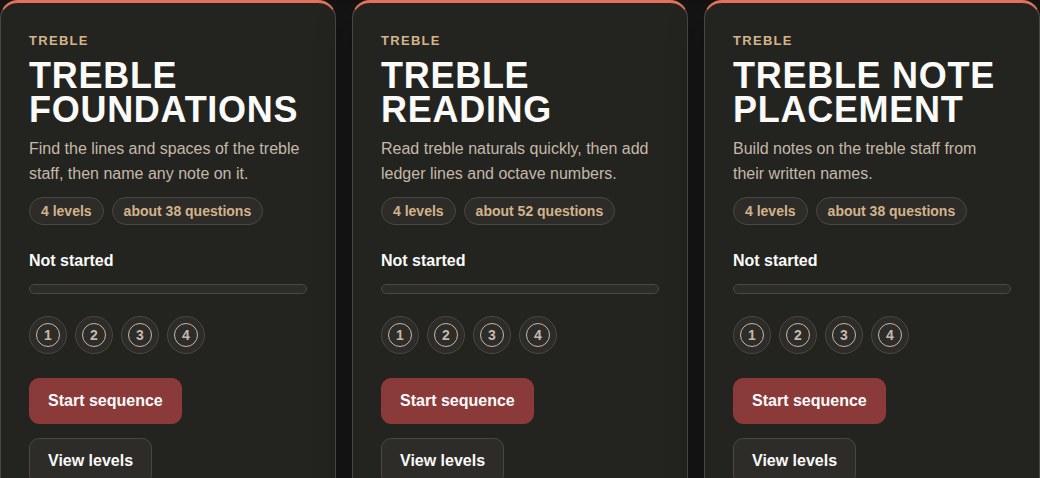
- Treble FoundationsSpaces, lines, whole staff, check
- Treble ReadingStaff-only to register-aware
- Treble Note PlacementBuilding notes on the staff
- Treble Ledger NotesMiddle C outward
- Treble AccidentalsSharps, flats, exact spelling
- Bass FoundationsSpaces, lines, whole staff, check
- Bass ReadingStaff-only to register-aware
- Bass Note PlacementBuilding notes on the staff
- Mixed-Clef ReadingLandmarks, then both staves
All nine are listed alongside every other sequence the shop publishes on the Teaching Sequences hub, and each one's levels, stated length, passing threshold and assignment link are published in the app's capabilities manifest.
For teachers
Assignable links that pin what they ask
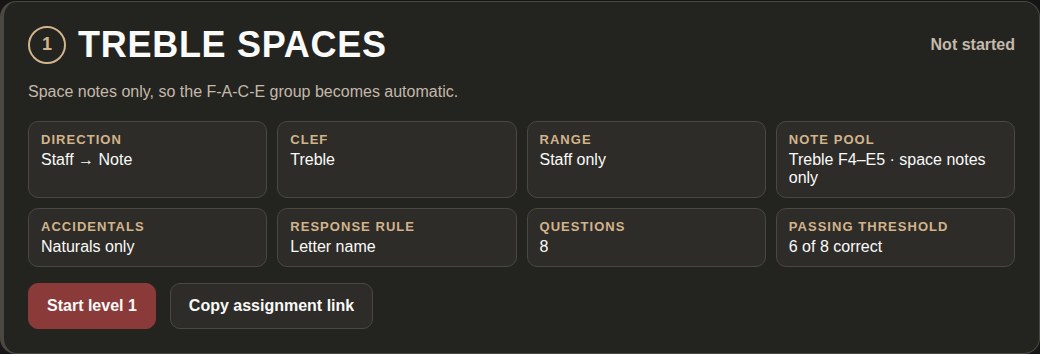
Every level and every catalog assignment has a link that carries its whole configuration — direction, clef, range, note pool, accidentals, answer rule, question count, passing threshold, and the seed that fixes the order. Paste it into Canvas, Google Classroom, or anywhere else and every student gets the same round.
Students finish with a local exit ticket they can copy or download. Nothing submits on its own, and no result leaves the device unless the student chooses to send it.
What the score means
An honest boundary around the evidence
Staff Spot measures
Line and space recognition, staff-position recognition, pitch-name recognition, staff-position construction, clef-specific reading, register discrimination when octave answers are on, and accidental recognition and placement when accidentals are on.
Staff Spot does not measure
Keyboard or mallet-bar location, live playing, tone, stroke, grip, sticking, tempo, pulse, sight-reading performance fluency, or verified student identity.
Staff Spot has no mallet keyboard on purpose. Mallet Map owns written-note-to-bar location; Staff Spot stays on the staff. A completed level records work done in one browser — it is not proof of who did it.
Private by design
Nothing to sign up for, nothing to send
No account, student name, roster, microphone, camera, recording, analytics identity, or cloud progress. Sequence progress is stored only in the browser — which levels were completed, the best score for each, how many attempts, and the date — and a visible reset clears it for that device.
Start with one spot on the staff.
Pick a Teaching Sequence and work down the levels, browse the full assignment catalog, or set your own conditions and practice.